A timeline that behaves
Unlimited tracks, snapping, razor splits, ripple trim, multi-select with group drag and drag-to-track. Frame-accurate seeking with keyboard nudges.
Windows 10 / 11 · v0.1.0 · 2.0 MB
A multi-track timeline, keyframes with easing, colour grading, transitions, animated titles and automatic subtitles that run on your own PC. Every tool unlocked, nothing metered, no account.
No account · No watermark · No export limits · Works offline
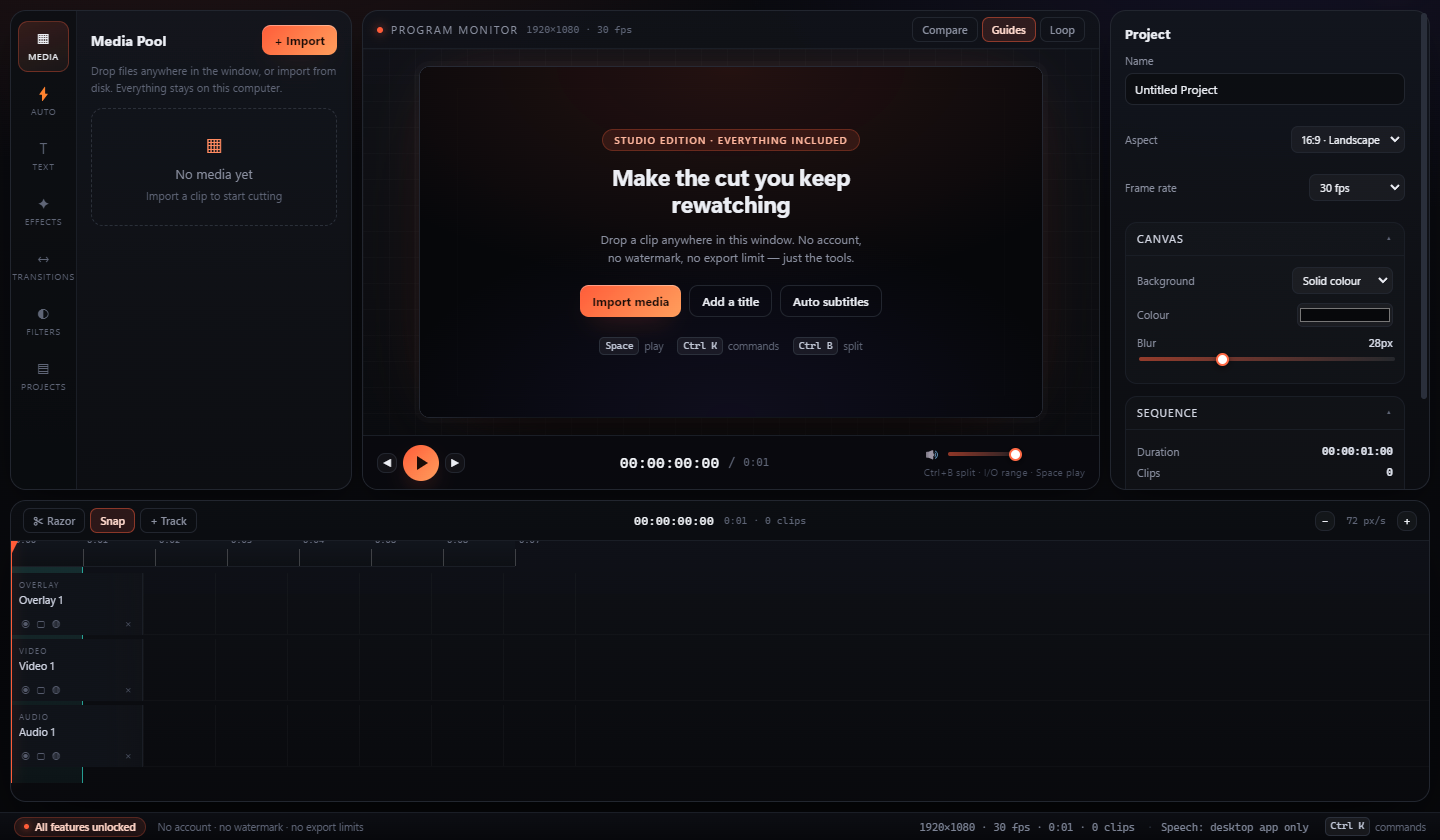
Inside the app
Built in Rust with a canvas compositor, so previews and renders stay smooth without a browser engine bolted on the side.
Unlimited tracks, snapping, razor splits, ripple trim, multi-select with group drag and drag-to-track. Frame-accurate seeking with keyboard nudges.
Animate position, scale, rotation, opacity, volume and effect strength. Bezier easing curves, on-canvas transform gizmo and automatic keyframing.
12 filters, 12 effects and 12 transitions. Exposure, contrast, saturation, temperature, tint, sharpen and vignette — plus one-click auto colour measured from the frame.
Six typographic presets, eight text animations from typewriter to word-by-word reveal, with stroke, shadow and boxed styles that scale to any canvas.
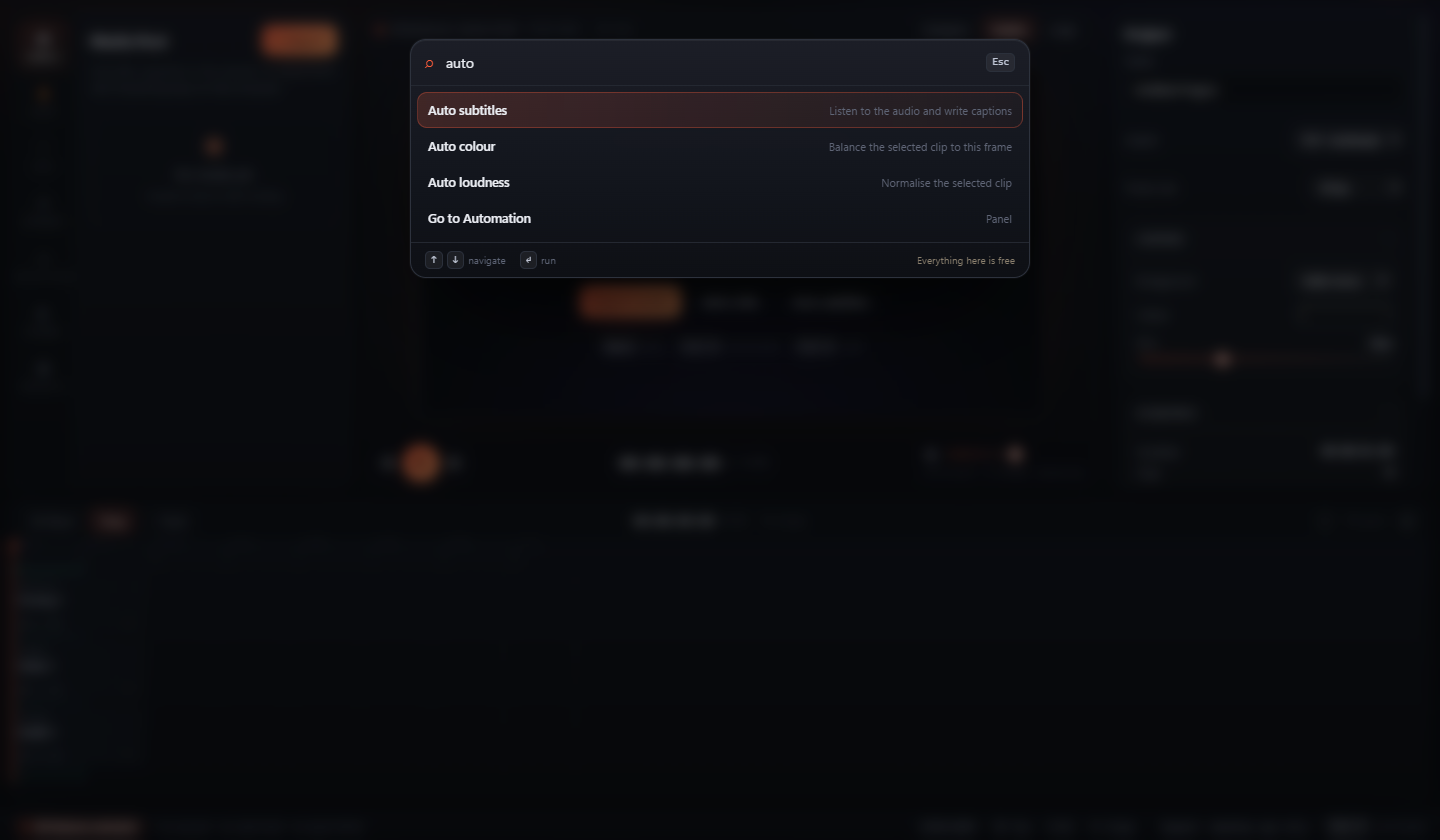
It listens to your clip and writes editable captions on their own track. Runs entirely on your machine — nothing is uploaded, ever.
Export WebM/VP9 with audio, save PNG stills, or render just your in/out range. Resolution and frame rate up to 4K60, chosen per project.
Automatic subtitles
Press generate and Tacot Edit decodes the clip's audio, transcribes it with whisper.cpp on your CPU, then places one caption per line on a dedicated track — timed through clip speed and in-points, split into readable chunks.
No per-minute caption credits. There is nothing to count.
The honest pitch
| Feature | Typical subscription editor | Tacot Edit |
|---|---|---|
| Export watermark | Removed on a paid tier | Never added |
| Resolution ceiling | Capped until you upgrade | Up to 4K60 |
| Automatic captions | Pro add-on, per minute | Built in, on your PC |
| Account required | Yes, with cloud sync | None |
| Your footage | Uploaded to their servers | Stays on your disk |
| Stop paying | Features lock, projects break | Nothing to renew |
Windows installer
TacotEdit-Setup-0.1.0.exe
2.0 MB · version 0.1.0 · 64-bit
8d0303a54b32a7d0acc62f3ca87817755f4dc36026a7257e65b8b9493e628548
Run the installer — SmartScreen may ask; choose “More info → Run anyway”.
It opens straight into a project. No sign-in, no trial timer.
Drop a clip in, or hit Ctrl K to search every action.
Questions
Yes. No account, no licence key, no trial, no watermark, no export limit. The app is a single installer and it keeps working offline.
They are copied into the app's own library folder on your PC and never uploaded. Captions are generated locally, and exports are written to your Videos folder.
No. It uses the speech engine built into Windows out of the box. For much better accuracy you can add whisper.cpp and a model from inside the app (one ~165 MB download, also offline after that).
WebM (VP9 with audio) and PNG stills, rendered in-app. If FFmpeg is present on your PATH, MP4 export becomes available too.
Not yet — this build is Windows 64-bit only.
Yes. It autosaves every 20 seconds and restores your last session on launch. Named projects live in the Projects panel.